
Short and Long Usuls (Rhythms)
The previous version featured the short usuls of Turkish music. In this version, the long usuls have also been added. This provides access to and the ability to study 54 usuls, ranging from 2-time to 124-time. Additionally, the usuls are displayed according to the levels at which they are used, the smaller-time-unit usul segments from which they are composed, or as a whole. Some usul levels are referred to by different usul names. These names are also displayed for the relevant usuls. Consequently, the system contains more than just the 54 basic usuls.
The SymbTr archive, which contains 2,200 pieces created as part of a project, is accessible via Mus2. As long as these pieces—as well as those composed by the user—are stored in the archive folder, they could be easily accessed. Now, as you navigate the usul list on the left, you can also access pieces composed using that usul directly from this screen. In the demo version, access to a limited number of usul entries will be available.
When you click the “Usul” button at the top of the Mus2 window, the following screen opens.
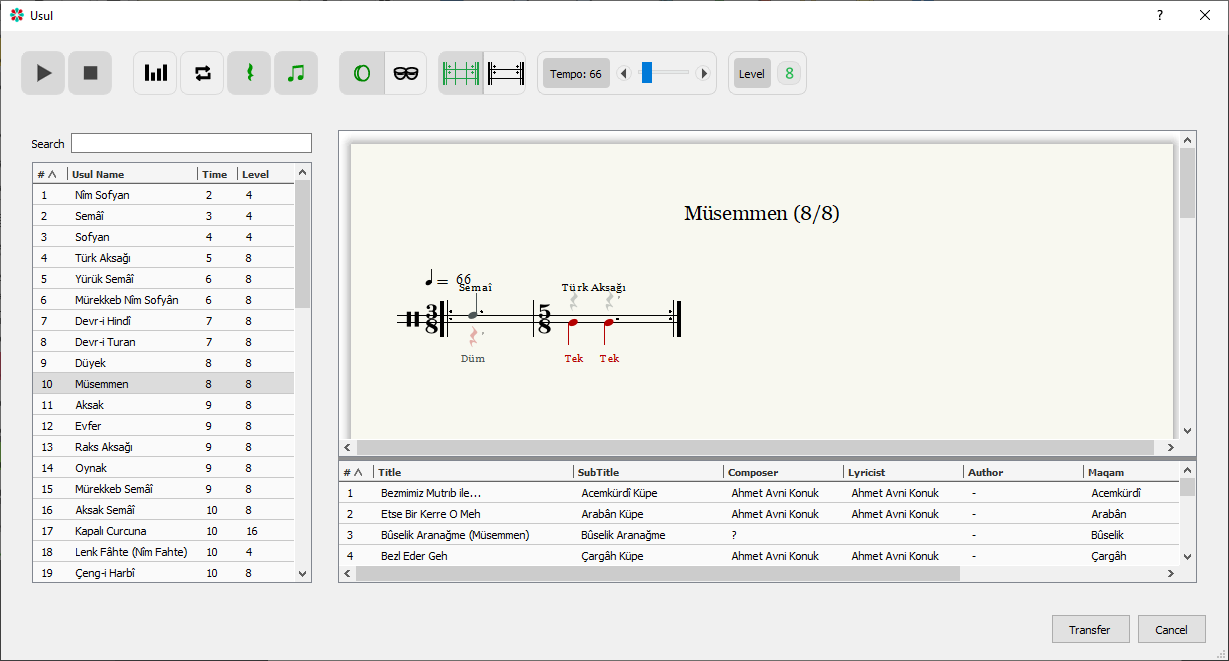
Using the Usul list
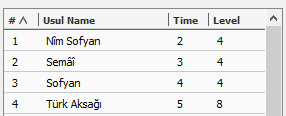
The headings in the list function as buttons. When the screen first opens, the list is displayed in order by row number. You can sort the list by row number, procedure name, time, or rank. Clicking the relevant heading again will reverse the sort order. The “Level” column shows the most commonly used level for the relevant usul.
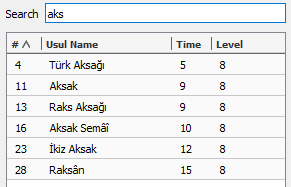
When an expression is entered into the search box, the usuls in which that expression appears are listed. For ease of use, there is no requirement to use uppercase or lowercase letters, to type the entire word, or to include punctuation marks.
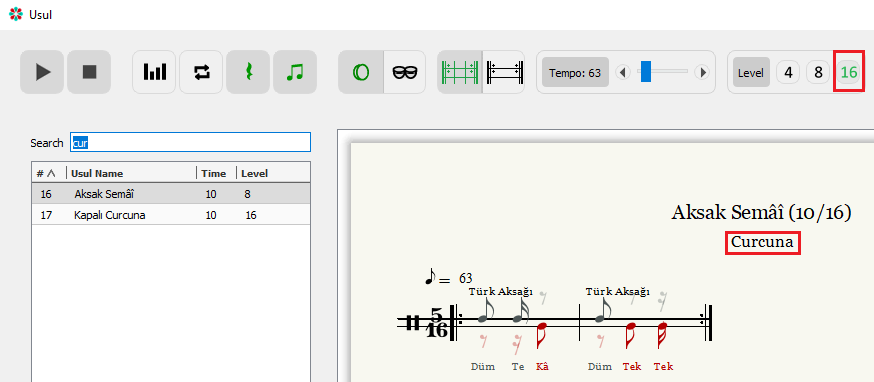
In this example, a search was performed using the term “cur.” However, although the word does not appear in the title “Aksak Semâî,” it is included in the list. When searching, the system looks not only for items in the list but also for names that appear in the levels. Since the 16th level of Aksak Semâî is named “Curcuna,” it appears in the list. If a different name appears under the “usul” heading, that is the usul name given for that level. Therefore, although 54 usuls are mentioned above, the actual number is higher.
Functions of the Buttons
If you hover the mouse over the buttons for a moment, a brief description of their function appears. This information on the buttons indicates the current state of the procedure window.
 These are the play and pause buttons.
 Toggles between normal and velveleli versions of the usul. When clicked, the color will turn green and the velveleli version will be displayed.
 When the usul screen first opens, the usul plays twice, taking the turn signal at the end of the line into account. Click the button to enable looping playback.
 Rest symbols are used to prevent note shifts when writing music. This button allows you to hide or show rest symbols.
 As a general feature of Mus2, notes and rests written in the “2nd Voice” appear in red. Notes and rests played by the left hand are also shown in red and written on the lower staff. You can toggle between colored and uncolored display using this button.
For notes and rests to appear in color, the “Working Voice” option must first be set to “Color” in the “View” tab of the “Settings” screen under “Edit.”
 The usul can be played with either a bendir or a kudüm.
 With the exception of the two-beat Nîm Sofyan and the three-beat Semâî, all other usuls are composed of combinations of shorter usuls. These buttons allow the usul to be displayed either as a combination of its constituent sub-usuls or as a single, uninterrupted whole.
 Each usul has a default tempo setting. During practice, you can change the tempo using this button. You can adjust the tempo in small increments using the left and right arrow keys, or make larger adjustments by dragging the blue bar.
 Some usuls can be used at different levels (denominators). In this example, the usul is used at three different levels, and the number 4 in green indicates the level most frequently used in works written in this usul.
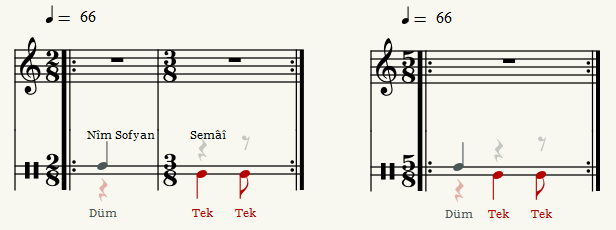
 This feature allows the selected time signature to be exported to the Mus2 score page either in parts or as a whole, depending on its current state on the screen. The example below shows the Türk Aksağı (5/8) time signature exported using two different options.
Use of Usul with the Archive

When an usul is selected, the pieces written in that usul are filtered from the archive folder and displayed in a list. You can sort this list by clicking the column headers, and double-clicking a piece opens it in Mus2. If an archive folder was created earlier and the “Makam” and “Usuller” columns are empty, clicking the “Update Archive Database” button—found on the screen opened via “File” > “Open Archive”—will refresh the data.